Telegram live chat for your website: how it works
A website chat you answer from Telegram keeps the conversation on your site and puts your inbox in the app you already check all day. Here is how it works, and what to look for.
On this page
What Telegram live chat means
Two different things go by this name.
- Link-out buttons. A button on your site opens Telegram on the visitor’s phone. The visitor needs Telegram, and leaves your site to ask.
- A real chat on your site. The visitor types in a chat window on your website, and only you use Telegram. SignalGood is this kind.
How a question reaches your Telegram, and the answer comes back
- The visitor writes in the chat on your website.
- A bot sends the message to your private chat in Telegram, with the site and the page.
- You swipe the message to reply, and type your answer.
- Your reply appears in the visitor’s chat within seconds. If they have gone, it waits for them for a week, and the chat button shows a red 1 when they come back.
The home page shows one whole exchange, step by step.
What your visitor sees
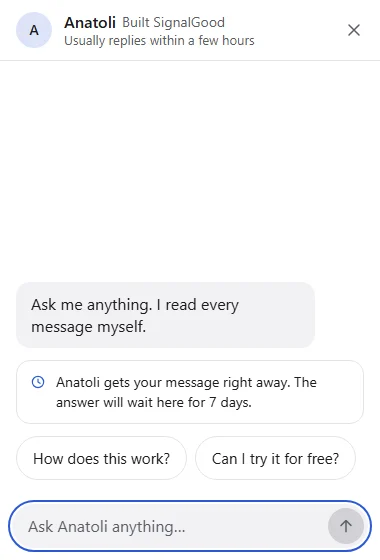
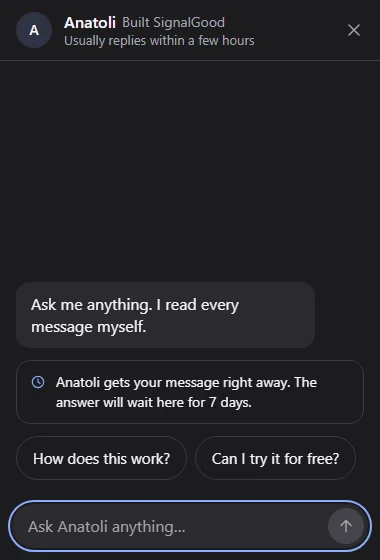
A chat button in the corner. Tapping it opens a chat with your name and your welcome. There is no sign-up: they type and press send. Visitors can leave an email if they want the answer sent there. On a phone the chat fills the screen; it follows the visitor’s light or dark setting.
Keeping spam and bots out
Before anything reaches your Telegram, several checks run, and the visitor never sees them:
- An invisible human check (Cloudflare Turnstile) on the first message of a chat.
- A hidden field that only bots fill in, and a minimum typing time.
- Known AI crawlers and headless browsers are refused.
- Limits per visitor, per network and per website, and a length cap on messages.
And every message in Telegram has a Block button. A blocked visitor isn’t told, so a spammer has nothing to work around.
Several websites, one Telegram
Every message says which website it came from, so two shops can share one Telegram chat. Each website has its own plan and its own look.
AI replies, always labelled
AI replies with your own key, always labelled. You paste a key from an AI provider you already use, and you pay that provider directly. They are off by default, every AI message says “AI assistant”, and you take over by simply replying. No setting lets an AI pass as you.
What to look for when you choose one
- You answer from Telegram itself, not from another app’s inbox.
- Nothing for the visitor to install or sign up for.
- No forced “powered by” badge.
- A small script, so your pages stay fast.
- Spam protection you can read about.
- Honest labels on any AI reply.
- A fair price per website.
How others compare: SignalGood and tawk.to, SignalGood and Crisp, SignalGood and Tidio, SignalGood and Chatgram. Leaving Zendesk Chat? Here is a five-minute switch.
Set it up on your platform
Every guide is three steps.
- WordPressPlugin
- WooCommercePlugin
- Shopify
- Wix
- Squarespace
- Webflow
- BigCommerce
- Adobe Commerce (Magento)
- PrestaShop
- OpenCart
- Ecwid
- Shopware
- Google Tag Manager
- Next.js
- Any website
What it costs
$5 a month per website after 14 days free, or $50 a year, for one person answering. Team, where 2–3 people answer from a Telegram group, is $15 a month or $150 a year. No card to start, no badge, and no limit on chats.
Ready to try it?
From $5 a month per website, after 14 days free. No card to start.
Start freeYour websites